- Magestic's Newsletter
- Posts
- You're probably guilty of these common UI mistakes
You're probably guilty of these common UI mistakes
Seriously ... pull yourself together ...

Karina Minanov
October 27, 2023
Halloween is just around the corner, and if you’re an NYC resident like myself, we’re about T-minus 8 hours to full-blown anarchy. I considered making this blast overwhelmingly festive … but then I remembered we aren’t children anymore, and there’s only so much enthusiasm I can show for a holiday that revolves around dressing up and collecting candy before people start (appropriately) asking questions … But in an effort to be slightly on theme, I’ve dedicated today’s post to something truly horrific: UI pitfalls you’ve probably fallen into.
Design is ever-changing and highly vulnerable to (in my opinion) gratuitous trend cycles. So, at one point or another, we’ve all produced work that we aren’t exactly proud of in retrospect **insert flashback to my rant on the death of brand individuality** To be honest, being dissatisfied with (or completely disgusted by) what you produced 1, 5, 10 years ago is a good heuristic for creative growth. However, we should also avoid setting ourselves up for unnecessary humiliation down the line.
I don’t care how good the software is, if I think the UI sucks, I’m not using it.
🤷🏼♀️
— Sara Loretta 🏁❤️🔥 (@thesaraloretta)
1:56 AM • Dec 14, 2022
Blah blah blah … you get the gist. Without further ado, here are 5 common design mistakes you should avoid when building your next brand, website, or interface:
1. Filling the whole screen
Mayday mayday, I repeat: empty space is not the enemy. In fact, empty space or “white space” is crucial to creating a visually pleasing and user-friendly interface. Empty space improves readability, reduces visual clutter, and allows you to more effectively guide user attention.

2. Relying on a linear scale for sizing and padding
Full disclosure, I’ve been guilty of this one on multiple occasions—sometimes it’s just easier to structure your sizing and padding using something like “multiples of 8” (16, 24, 32, etc.). But, this (for lack of a better term) lazy system falls apart quickly once you start introducing icons, stacks, and more complex UI elements. What to do instead? Use a relative scale. For example, if you boost your font from 16 px to 18 px (+12.5%), your accompanying element (i.e., icon, etc.) should be increased by 12.5% as well.

3. More data ≠ better data
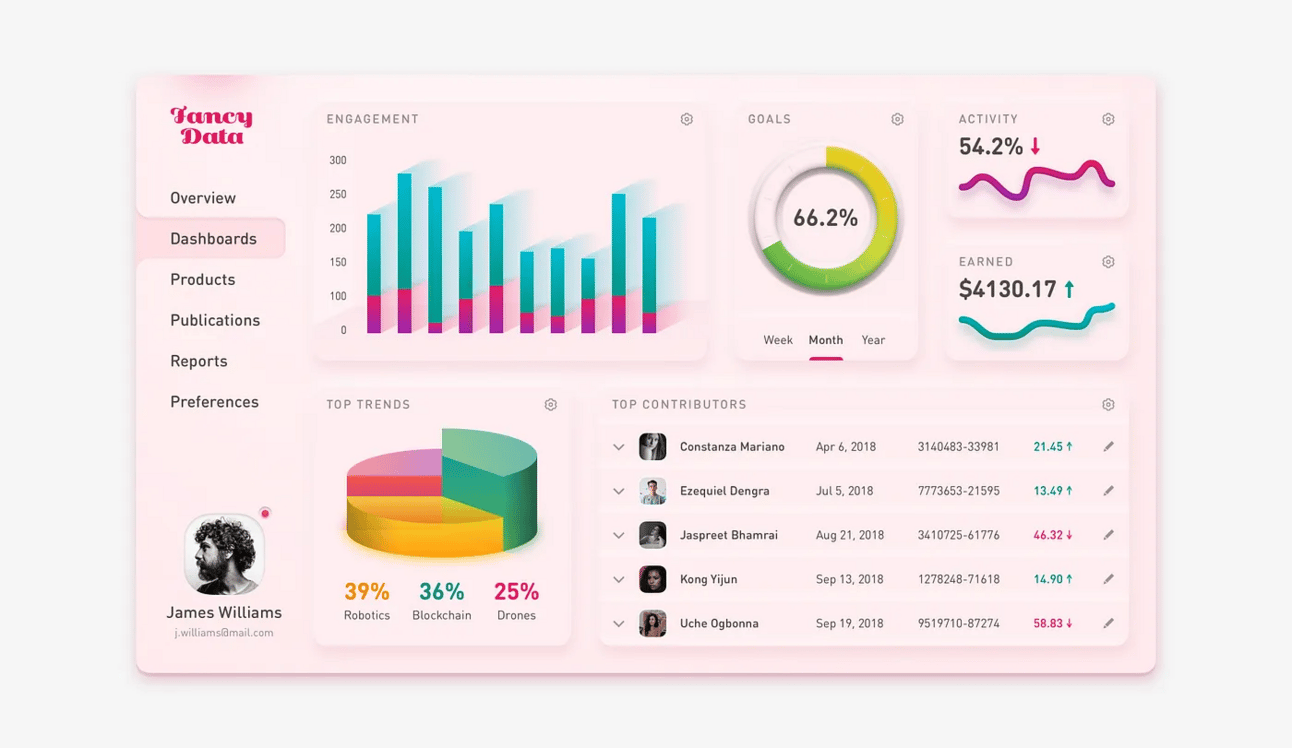
Excuse the personal vendetta, but this is one of my top pet peeves specifically when it comes analytics platforms and data management software. Half the time, we’re given random metrics without any actionable insights so that C-suite execs can advertise being “data-driven” at their next college reunion. To make things worse, oftentimes these random metrics are displayed using mildly aesthetic graphs completely devoid of context. I don’t need to know that only 0.7% of CVS cashiers find me attractive!! Please stop telling me 68.3% of my extended family considers me a disappointment!! Ok, absurd theoreticals aside, raw data without insights is just extraneous numbers.
4. Not optimizing for user interaction
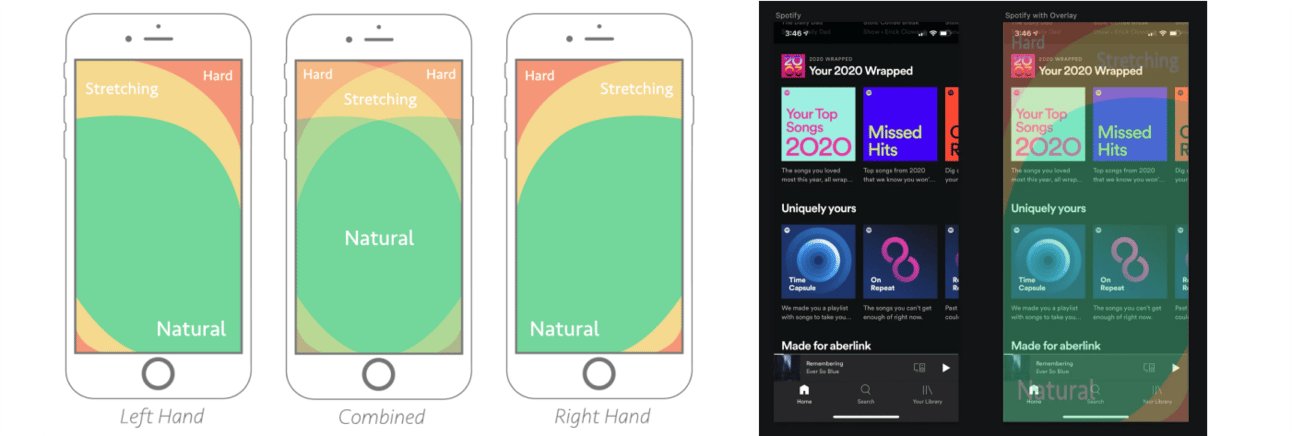
This is more so for mobile designs, but sometimes we become too consumed by aesthetic enterprise and forget that people actually have to use what we are making. Most people aren’t built like Salad Fingers (too niche?) and want to be able to scroll, swipe, and surf with one hand and just their thumb.
5. Confusing navigation
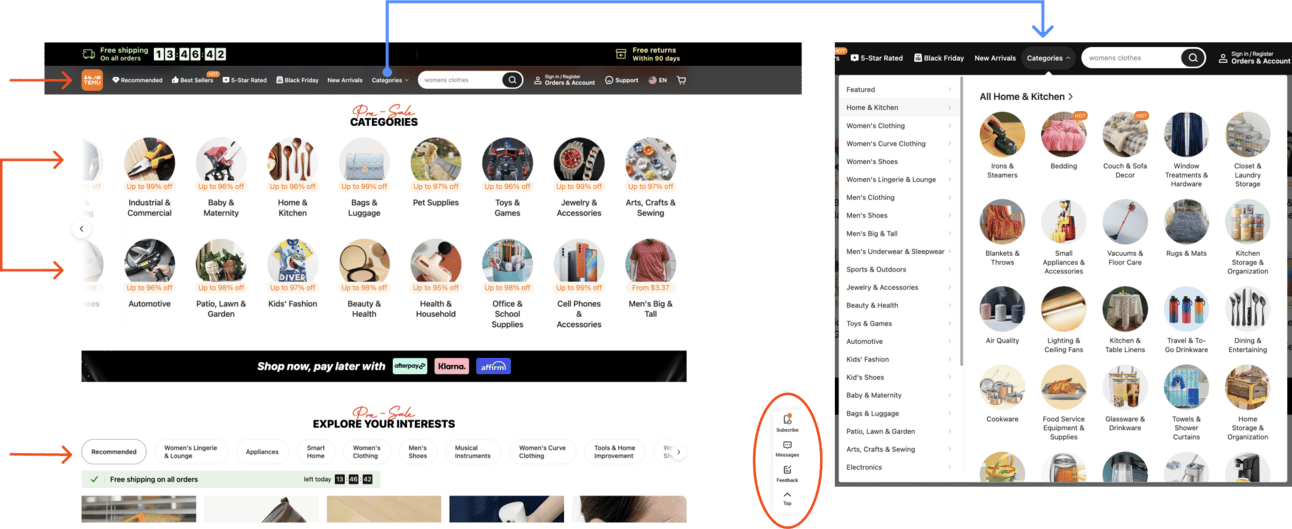
I’ve saved the scariest for last. Temu is quite possibly the best example of the worst navigation. There’s about 17 million things going on at once, and their homepage is flooded with click-throughs, autoplaying carousels, and vague CTAs. Worst of all? They’ve buried their actual shopping categories under infinite nested buttons with jarring hover states. For the love of all that is good in this world, please use this as a cautionary tale.
🎃 Pop quiz 3.0

Ok, that’s it! Happy early Halloween … make smart choices … or don’t … 😈